

FPV goggles put you inside the drone instead of watching it from the ground. The camera on the aircraft sends a live video feed to a receiver built into the headset, and suddenly you are looking over the nose of a quadcopter at 20 meters up.
Before any model recommendation, there is one rule that decides almost everything: FPV drone goggles only work with one video transmission system. A DJI O4 link will not feed Walksnail goggles, Walksnail will not feed HDZero, and none of them will pick up a plain 5.8GHz analog camera. If you buy the wrong family, the headset will show snow no matter how good it is.
We spent October 2026 going through the best FPV goggles on the market, checking each one against the drone it actually supports. Ten made the cut, and every pick below names its video system before it names a specification. If you are still mapping out the basics, our FPV goggle basics guide covers the parts of the hobby that come before shopping.
Table of Contents
- Top 3 Best FPV Goggles in 2026
- All 10 Best FPV Goggles at a Glance (October 2026)
- Match Your Goggles to Your Drone’s Video System
- 1. DJI Goggles 3 – Sharpest Picture and Best Fit Adjustment
- 2. DJI N3 Goggles – Best Value for O4 Flyers and Glasses Wearers
- 3. DJI FPV Goggles V2 – Lightweight Digital Pair for the Older DJI Link
- 4. DroneMask 2 – Works With Almost Any HDMI Drone or Phone
- 5. SoloGood EV800D – Entry Analog With a Real Built-in DVR
- 6. CADDXFPV Walksnail Avatar X – Lowest Latency Digital Option
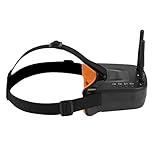
- 7. FOSA 3 Inch Mini Goggles – The Smallest and Lightest Analog Option
- 8. Fat Shark Recon Echo – Complete Ready-to-Fly Kit
- 9. RunCam Spotter V2 – All-in-One Camera and Transmitter
- 10. BETAFPV VR04 – HD Goggles for P1 Whoop Pilots
- How We Evaluated These FPV Goggles
- FPV Goggles Buying Guide: The Specs That Actually Matter
- Wearing Glasses and Beating Lens Fogging
- Flight Safety and the Rules That Apply to You
- Frequently Asked Questions
- The Best FPV Goggles to Buy in 2026
Top 3 Best FPV Goggles in 2026
Three models stand out once you filter for both picture quality and how many pilots have actually flown them. The DJI Goggles 3 takes the overall slot on display quality and diopter range, the DJI N3 wins on value and glasses-friendly fit, and the older DJI FPV Goggles V2 stays the lightweight option for the previous DJI link generation.

DJI Goggles 3
- 1080p Micro-OLED at 100 Hz
- O4 link at 24 ms latency
- Diopter -6.0D to +2.0D
- Real View PiP

DJI N3 Goggles
- 54-degree field of view at 1080p
- Glasses-friendly interior
- O4 link at 31 ms latency

DJI FPV Goggles V2
- 1920x1080 maximum display resolution
- 420 g lightweight shell
- Motion tracking built in
All 10 Best FPV Goggles at a Glance (October 2026)
The table below lists every pick with the video system it supports, because that single column eliminates more wrong purchases than any other spec.
| Product | Specifications | Action |
|---|---|---|
| DJI Goggles 3 |
|
Check Latest Price |
| DJI N3 Goggles |
|
Check Latest Price |
| DJI FPV Goggles V2 |
|
Check Latest Price |
 DroneMask 2 DroneMask 2 |
|
Check Latest Price |
 SoloGood EV800D SoloGood EV800D |
|
Check Latest Price |
 CADDXFPV Walksnail Avatar X CADDXFPV Walksnail Avatar X |
|
Check Latest Price |
 FOSA 3 Inch Mini Goggles FOSA 3 Inch Mini Goggles |
|
Check Latest Price |
 Fat Shark Recon Echo Fat Shark Recon Echo |
|
Check Latest Price |
 RunCam Spotter V2 RunCam Spotter V2 |
|
Check Latest Price |
 BETAFPV VR04 BETAFPV VR04 |
|
Check Latest Price |
Match Your Goggles to Your Drone’s Video System
There are four video system families in FPV today, and they are mutually exclusive. Analog 5.8GHz is the old school, cheap and interference-prone standard. DJI O3 and O4 is the current digital standard most new consumer drones ship with. Walksnail Avatar HD is a rival digital link with a reputation for the lowest latency. HDZero is the third digital option, often paired with a separate receiver module.
A pilot on r/fpv described the confusion in plain terms: newcomers cannot tell that DJI, Walksnail, HDZero, and analog are separate systems, and that the goggles must match the transmitter on their own drone. A thread on fpvdronepilots carries the matching advice from the other side, that you should buy goggles that fit your ecosystem so you do not end up buying twice.
There is one partial escape hatch. The CADDXFPV Walksnail Avatar X in this list has HDMI input and output plus an AV input, and an optional extension board opens analog reception. That flexibility is not free of friction, though. Users report that getting Walksnail goggles to handle analog takes real effort, so treat it as a bonus rather than a reason to buy.
DroneMask 2 sits in a different category entirely. It has no built-in FPV receiver at all, because it simply mirrors whatever screen you feed into its HDMI port, including a phone or a camera drone. That makes it the most forgiving choice on the list, and also the one that depends most on the quality of the screen behind it.
1. DJI Goggles 3 – Sharpest Picture and Best Fit Adjustment
DJI Goggles 3, FPV Goggles with Stunning Micro-OLED Screens, Immersive Flight Experience, O4 HD Video Transmission, Adjustable Diopters, Wireless Streaming, Drone Goggles with Real View PiP
1080p Micro-OLED at 100 Hz
O4 link at 24 ms
Diopter -6.0D to +2.0D
About 3 hours of battery
Pros
- Very sharp 1080p Micro-OLED picture
- Diopter range from -6.0D to +2.0D suits almost any prescription
- Real View PiP adds situational awareness
- Soft face contact for long sessions
- Strong O4 link performance
Cons
- Only pairs with certain DJI models so verify your drone first
- Written pairing instructions are unclear
- No case or bag in the box
- No HDMI input for external sources
Best FPV goggles for picture quality, and it is not particularly close. The dual 1080p Micro-OLED panels refresh at up to 100 Hz, which is the reason edges stay clean when you whip the drone around at speed. Colors have a level of saturation that LCD panels in the same category simply do not reach.
The feature I appreciate most is not on the spec sheet. Diopter adjustment runs from -6.0 to +2.0 diopters, a far wider span than the sliding inserts used on earlier DJI headsets, and the dials are easy to find with the headset on. Pilots who wear strong prescriptions report being able to fly without glasses for the first time on a digital system.
The O4 link reports 24 ms latency at 60 Mbps, and the video quality of DJI Avata 2, Air 3, Mini 4 Pro and Neo footage through it is consistent. Real View PiP puts a small live feed in the corner so you can check your surroundings without lifting the headset, and the one-tap defogging clears the lens in seconds after a cold transition. The headband battery runs about three hours per charge, and the whole headset weighs 0.47 kg.
Reviewers repeatedly flag the same two issues. First, it is DJI-only, and a drone that is not on the compatibility list means a headset that never shows an image. Second, the written pairing steps are thin, and plenty of owners found setup only clicked after watching a video. A few buyers also report firmware updates failing partway through, which can disrupt other DJI devices on the same account.
What it feels like in a long session
The soft face contact and additional forehead pad in the box make this the most comfortable DJI headset we have put on for a two-hour freestyle session. The TÜV Rheinland Low Blue Light certification is a quiet bonus for evening flying, and wireless streaming to the DJI Fly app lets a spotter watch without a second pair of goggles.
Because there is no HDMI input, external viewing goes through wireless streaming, which adds a delay that is fine for a spotter and useless for anyone trying to race a tablet feed through it. Anyone planning to fly this headset with a phone or a laptop in the loop should rule it out now.
Who should skip it
Skip it if your drone runs Walksnail, HDZero, or a plain analog camera, because none of those will appear on the headset. It is also the wrong shape of purchase for a first-time flyer who has not settled on an ecosystem, since the compatibility list is the single hardest limit on the product.
For everyone already inside the DJI O3 and O4 world, this is the headset to buy. Owners consistently rate the image quality and the fit adjustment as the two things that make the difference after an hour of flight.
2. DJI N3 Goggles – Best Value for O4 Flyers and Glasses Wearers
DJI N3 Goggles, 1080p Ultra Wide Screen FPV Goggles, immersive flight experience, FPV drone goggles, wireless streaming, drone goggles, set ready to use, AR cursor
1080p LCD at 60 Hz
54-degree field of view
O4 link at 31 ms
Fits glasses without diopters
Pros
- Highest rated in this lineup at 4.6
- 54-degree field of view at full 1080p
- Spacious interior fits eyewear with no diopter setup
- Stable O4 link with strong anti-interference
- Up to 2.7 hours of battery
Cons
- Will not work with RC Motion 2
- FPV Remote 2
- RC-N3 or RC 2
- LCD panel is less punchy than Micro-OLED
The DJI N3 is the pick for anyone who wants the O4 link without the top-tier price, and it holds the highest average rating of the ten models here at 4.6 across 609 reviews. The 54-degree field of view is wide enough to spot a gate early, and the 1080p LCD holds up at 60 fps with only a modest step down in punchiness compared with the Micro-OLED panels in Goggles 3.
The interior is the reason glasses wearers keep choosing it. The space between the lenses is wide enough to wear normal eyewear and still get a clear, unfogged view at the edges, with no diopter insert to fumble with. For a pilot who has repeatedly ended up squinting in a headset with inserts, that is worth more than extra contrast.
Transmission performance is the quiet strength. The O4 link runs 1080p at 60 fps with 31 ms latency out to a stated 13 km, and automatic frequency switching handles interference without a manual channel dance. AR cursor control works through DJI RC Motion 3, and the battery covers about 2.7 hours at 0.54 kg.
What to check before you commit
The controller list is the deal breaker. This headset will not work with RC Motion 2, FPV Remote Controller 2, RC-N3 or RC 2, and buyers who assumed every DJI remote pairs with every DJI headset found out the hard way. Confirm your controller model in the compatibility list before anything else.
The other tradeoff is panel punch. Compared with the Micro-OLED screens in Goggles 3, the LCD here looks flatter in bright outdoor scenes and blacks do not go quite as deep. For racing and freestyle at speed this is a non-issue, but if you film cinematic lines in low light, the difference is visible.
Who this suits best
This is the first recommendation we make to a new O4 owner. It is the strongest-rated product in the lineup, the field of view is the widest of the DJI options we tested against, and the fit works for glasses without a single adjustment.
Owners cite three things consistently: the glasses-friendly fit, the dependable O4 reception, and the controller compatibility caveat. If your remote is on the current list, there is little to weigh up.
3. DJI FPV Goggles V2 – Lightweight Digital Pair for the Older DJI Link
DJI FPV Goggles V2 for Drone Racing Immersive Experience, Black
1920x1080 maximum display resolution
420 g lightweight design
Built-in motion tracking
2 inch LCD
Pros
- Proven digital link with reliable 720p streaming
- Lightweight at 420 g with a compact footprint
- Comfortable headband and good screen clarity
- Built-in accelerometer and gyroscope
Cons
- Cannot be paired with newer O3 or O4 air units
- Older generation with lower resolution
- 1-star reviews concentrate on heat and connectivity
These remain the lightest dedicated FPV goggles in this roundup at 420 g, and that weight difference is not trivial across a long session. The maximum display resolution is 1920×1080 on a 2 inch LCD, with a built-in accelerometer, gyroscope and motion tracking that works with the older DJI FPV link generation.
Where it still wins is simplicity. There are built-in controls and USB connectivity, the headband is comfortable, and the streaming path to a phone is reliable enough for sharing a flight with someone in the room. For pilots flying a previous-generation DJI aircraft, this is a proven pairing that thousands of hours of flight time have already validated.
What holds it back is generational distance. The resolution and the link both predate the current O3 and O4 standard, and it cannot be paired with newer air units at all. Ten percent of its reviews are one-star, and that slice focuses on heat build-up during long sessions and connection dropouts, which lines up with what you would expect from an older, smaller chassis.
Second-hand DJI gear from that era is common in the market, and buyers often pair it with a used drone to save money. That can be a sensible entry, but the headset will never grow into the current ecosystem, so treat it as a closed system rather than a stepping stone.
Is the picture good enough in 2026
It is good, just not current. Compared with the Micro-OLED clarity of Goggles 3 the image reads softer and the dark areas lift, though streaming still comes through at a usable 720p. For freestyle and practice flying at moderate distance, most pilots report the image is entirely serviceable.
Warmth is the practical annoyance. On a long afternoon session the housing gets hot enough that pilots report adjusting the strap and taking breaks, which is the main reason the 420 g advantage is not the full story.
Who should buy and who should not
Buy it if you already own, or are deliberately buying, a previous-generation DJI FPV aircraft and want the matching headset new. In that narrow case the pairing is solid and the weight is a genuine advantage.
Do not buy it as a first digital headset. Anyone starting now should spend the difference on an O3 or O4 compatible model, because this one cannot be upgraded into the current standard. Reviewers still rate it warmly for weight and screen clarity, but they are rating it within its own generation.
4. DroneMask 2 – Works With Almost Any HDMI Drone or Phone
DroneMask 2 | FPV Goggles for All Camera Drones | Unibody Lens | HD FPV Goggles | Compatible Versatile Skyview FPV Drone Goggles | Clear Immersive View | All GPS Camera Drone
Patented unibody lens system
HDMI input for phones and drones
Adjustable focal length
1.3 kg
Pros
- Works with almost any HDMI drone or phone
- Blocks sunlight and glare for a clearer view
- Screen-access holes for mid-flight changes
- Adjustable focal length and headband
- Listed as eyeglass compatible
Cons
- Relies on the quality of the phone or external screen
- Heavier than dedicated FPV goggles at 1.3 kg
- Fit and focal-length adjustments are fiddly for some
DroneMask 2 solves a problem none of the other nine products here can. It has no FPV receiver and no ecosystem, because it mirrors whatever screen goes into its HDMI port, whether that is a phone, a DJI Mini, an Air series, a Mavic 3, an Autel, or a Potensic. If you want to look through a camera drone without committing to a video system, this is the straightforward answer.
The patented unibody lens is claimed at four times the resolution of a standard split-screen VR headset, and in use the picture stays clear with no visible seam. The lightproof shell is the underrated part: it blocks sunlight and glare hard enough that an outdoor flight no longer washes out, and small screen-access holes let you tap through drone settings without lifting the headset off your face.
Adjustable focal length, an adjustable headband, and a listing that states compatibility with eyeglasses make it a straightforward fit for glasses wearers. The box includes a USB-C to USB-C female adapter, a lighting cable, a pouch, a USB-C cable and a wipe cloth, which covers most connection scenarios you will hit.
The tradeoffs are structural rather than fixable. It relies entirely on the quality of the phone or external screen behind the lens, so a mid-range handset sets your ceiling on image quality. At 1.3 kg it is the heaviest item in this roundup, and some users find the focal and fit adjustments take practice to dial in.
What it is genuinely good for
Line inspection, slow cinematic passes, and anyone who wants a cockpit view of a camera drone they already own. Reviewers consistently single out the glare blocking and the universal HDMI compatibility as the reasons they kept using it, and the hands-free screen access is a small feature that changes long sessions.
It also works as a spectator headset. Hand a friend the DroneMask with your phone and they get a real cockpit view without buying any FPV hardware of their own.
Where it falls short
It is not a racing or freestyle goggle. A phone screen does not deliver the latency budget or the pixel density that competitive flying needs, and the weight sits on your neck rather than being distributed. Pilots report the image depends on the handset, and the adjustment curve takes a few flights before it settles.
Buyers rate it a solid four stars and describe it accurately: a clean, glare-free window onto whatever screen you hand it, with the quality ceiling set by that screen. If you already own a camera drone, it solves compatibility problems that no other pick here can.
5. SoloGood EV800D – Entry Analog With a Real Built-in DVR
EV800D FPV Goggles with DVR 5.8G 40CH 5 Inch 800×480 Build in Antenna for Analog FPV Camera and Transmitter FPV Drone RC Car
5 inch 800x480 LCD
5.8GHz 40-channel RaceBand
DVR up to 720x576
2000 mAh for about 2 hours
Pros
- Clear picture with easy auto channel search
- Built-in DVR records to microSD
- Screen detaches to work as a standalone monitor
- Effective sunlight blocking
- External video input included
Cons
- Some units arrive with a single-core board that cuts range
- Front-heavy box is tiring over long sessions
- Buttons sit in a row and get pressed by accident
- Not comfortable for glasses wearers
The EV800D is the analog entry point that still does one thing better than most of its class: record. The built-in DVR captures to 720×576 on a microSD card, and because the display and record chipsets are separated, you can save a flight without the picture stuttering. Pilots coming from cheap box goggles that record badly find that difference immediately.
The 5 inch 800×480 high-brightness LCD reaches a viewing angle up to 82 degrees through a 92 percent transparent lens, which is bright enough for daylight. Reception is a 5.8GHz 40-channel RaceBand receiver with automatic search, so channel matching takes one button press, and there is a dual antenna configuration plus external video input. The 2000 mAh battery covers about two hours.
It is also the most flexible box on the list. The screen detaches to work as a standalone monitor, which turns one purchase into a viewer for friends and a bench tool for checking a quad before you arm it.
The honest weakness is build consistency. A number of buyers report receiving a unit with a single-core LST-800D board rather than a true diversity EV800D, and the difference shows up as reduced range in crowded RF environments. That is a manufacturing variance issue, not a design flaw, and it is worth checking on arrival.
Is analog still worth it in 2026
For learning, yes. An analog link is the cheapest way to get a quad in the air and understand what FPV flying feels like, and experienced pilots on forums frequently recommend exactly this route for a first build. The tradeoff is interference and image noise, both of which improve as you gain skill and distance.
For racing, analog still has a real constituency. The immediate response and low cost of entry keep the 5.8GHz 40-channel RaceBand format alive, and the community consensus on forums is that analog cannot be beaten on pure latency responsiveness at the entry end.
Where the box form factor works against you
Three complaints repeat. The front-heavy box is uncomfortable over long sessions because the weight sits away from your face. The buttons sit in a row and are easy to press by accident, and the unit gets warm while recording with a long charge time afterward. Glasses wearers report it is not comfortable, since the wide face box leaves little room for a frame.
Buyers treat it as a capable entry-level analog goggle with a useful DVR, while flagging heat, button placement and the diversity board variance. Verify the board on arrival and it is a solid first analog headset.
6. CADDXFPV Walksnail Avatar X – Lowest Latency Digital Option
CADDXFPV Walksnail Avatar HD FPV Goggles X – 1080P/100FPS, 50° FOV, OLED
Dual 1920x1080 OLED at 100 fps
22 ms latency
Built-in DVR to microSD
Head tracking
Pros
- Crystal-clear 1080p micro-OLED with smooth motion
- 22 ms latency across Walksnail Avatar HD links
- All-in-one design removes VRX failure points
- Built-in fan and proximity sensor
- HDMI in and out plus head tracking and wireless sharing
Cons
- Only works with Walksnail Avatar HD VTX kits
- Included foam pad does not suit narrow or flat faces
- Weak Velcro strap lets the goggles slip
- No astigmatism correction without custom optics
The Walksnail Avatar X is built around one number: 22 ms latency across a Walksnail Avatar HD link, with a 50 Mbps bitrate and transmission range stated over 4 km. If your aircraft runs the Walksnail system and you want the shortest delay available in digital, this is the headset to buy.
Image quality is the other argument. Dual 1920×1080 micro-OLED displays at up to 100 fps with a 50-degree field of view produce a picture owners describe as crystal clear with smooth motion, and the all-in-one form factor removes the failure points of a separate video receiver module sitting in a bay.
Everything else is unusually complete for a digital headset. There is a built-in DVR writing to microSD up to 256 GB, gyroscope head tracking for compatible gimbals such as the GM3, HDMI input and output plus AV input, wireless goggles-to-goggles video sharing, and adjustable IPD from 57 to 72 mm with diopter from +2.0 to -6.0. A built-in fan and a proximity sensor help with heat and screen life, and the box includes wide foam, a lens cloth, an XT60 power cord, a storage box and an audio cable.
Note the power requirement: it needs a separate 2S-6S battery, which is an extra purchase beyond the headset. Fit is the most common complaint. The included foam pad does not suit narrow or flat faces and can obscure the lower screen corners, and the shipped strap uses weak Velcro that lets the goggles slip during aggressive freestyle.
Where it beats the DJI option
Latency, and the convenience of the integrated receiver. The 22 ms figure sits below the 24 ms of the DJI Goggles 3 and the 31 ms of the N3, which matters when you are chasing a gap through a concrete arch at full speed. Wireless sharing and head tracking also come as standard rather than as extras.
On forums, the digital consensus is broadly that DJI leads on overall picture quality while Walksnail leads on latency. If you have already committed to a Walksnail aircraft, those two claims resolve the decision for you.
Where it does not
It only works with Walksnail Avatar HD VTX kits, and it will not work with other digital or analog systems. Fit is the second issue: owners with narrow or flat faces report the stock foam blocking the lower screen corners, and there is no correction for astigmatism without custom-cut optics. A few units also arrive with a non-functioning proximity sensor.
Experienced pilots rate the picture and system reliability highly, with fit and ecosystem lock-in as the two dominant themes. If you fly Walksnail, this is the clear choice. If you have not chosen a system yet, the ecosystem is the deciding factor and nothing else.
7. FOSA 3 Inch Mini Goggles – The Smallest and Lightest Analog Option
FOSA 5.8Ghz Mini FPV Goggles 3 Inch 40CH FPV Video Headset Glasses 480 * 320 LCD Screen with Double RP SMA Antenna and Built in 1200mAh Battery for FPV Racing Drone Quadcopters
3 inch 480x320 LCD
5.8GHz 40-channel RaceBand
183 g stated weight
1200 mAh USB charging
Pros
- Very light and compact with an ergonomic shell
- Good signal reception for the entry level
- Built-in battery with USB charging
- AV input and AV output for a DVR
Cons
- No focus adjustment
- Low 480x320 resolution gives a soft image
- Tight interior is uncomfortable with glasses
- Reports of units showing static or failing to pair
The FOSA mini is the smallest analog headset here, with a 3 inch 480×320 high-brightness LCD behind a 92 percent transparent lens and an ergonomic shell that reviewers describe as very light, listing 183 g in the feature set. Reception is a 5.8GHz 40-channel RaceBand receiver with one-key auto search and dual RP SMA antennas, which are replaceable if you want to run diversity properly.
Power comes from a built-in 3.7V 1200 mAh lithium polymer battery over USB, and there is external AV video input plus AV output for a DVR. That combination of removable antennas and a spare video output makes it more flexible than the price of the thing suggests.
What works about it
Low weight and compact dimensions are genuinely useful for a small whoop or a lightweight build where every gram on your head matters. Owners credit the reception quality as adequate for the entry level, and the one-button channel search means a new pilot can get a picture without understanding channel bands.
The AV output also lets you feed a DVR or a cheap external recorder, which is a common trick with small analog setups.
Why the rating sits at 3.4
Three problems drive the low score, and all three are structural. There is no focus adjustment, which several buyers call out by name. The 480×320 panel produces a noticeably soft image next to any 800×480 box goggle. And the tight interior is uncomfortable for glasses wearers, which is the single most common reason pilots return any goggle.
There are also multiple reports of units showing only static or failing to pair out of the box, and some buyers noted slow seller support responses. Check the antenna connectors firmly on arrival, because RP SMA threads loosen in a pocket.
The lowest-rated item in this lineup, and reviewers are direct about the trade: light weight and adequate reception against unusable image quality and no focus adjustment. It is workable for a bench test or a very short whoop session, and it is not a headset to grow into.
8. Fat Shark Recon Echo – Complete Ready-to-Fly Kit
Fat Shark Recon Echo DVR FPV Goggles and Camera & Transmitter Combo – Fixed-Focus Prime Lens, B3 Mount, White
Headset with DVR plus FSV1225 camera and 5.8GHz transmitter
Fixed-focus 2.5 mm to 10.5 cm lens
0.5 kg
Pros
- Headset camera and transmitter in one bundle
- Onboard DVR for recording flights
- Adjustable headband and a lightweight 500 g shell
- Linear antenna and cleaning cloth included
Cons
- Narrow 7-degree fixed-focus view with no focus adjustment
- microSD card for the DVR is not included
- Analog 5.8GHz only and cannot pair with digital systems
The Fat Shark Recon Echo is the only true kit in this roundup. The box contains the headset with an onboard DVR, an FSV1225 micro FPV camera on a B3 mount, a 5.8GHz video transmitter, a linear antenna, a headband and a cleaning cloth. Nothing else needs buying to fly.
For someone who wants to understand the hobby without researching three separate purchases, that completeness is the selling point. The headset weighs 0.5 kg, the headband is adjustable, and the DVR is built into the unit rather than bolted on, so flight footage is captured by default.
What the bundle gets you
A complete analog 5.8GHz chain in a single package. The FSV1225 camera is a standard micro FPV camera, so it can be mounted to a build of your own later, and the headset itself is a normal analog receiver rather than something locked to a proprietary system.
Owners consistently describe the appeal in the same terms: ready to fly, nothing else to source, and the DVR means a first flight produces footage you can actually review.
The fixed lens is the deal breaker
The Recon Echo uses a single-element fixed-focus prime lens with a focal range of 2.5 mm to 10.5 cm and a stated real angle of view of 7 degrees. That is a narrow, fixed view with no focus adjustment, and it tells you plainly that this is a classroom and bench kit rather than a flying goggle. The microSD card for the DVR is not in the box, and the analog 5.8GHz system cannot pair with any digital aircraft.
A solid 4.1 from 35 reviews, with buyers valuing the all-in-one bundle and the onboard DVR while flagging the fixed narrow focus and the missing card. If you want a complete first setup, nothing else in this list saves you three separate decisions. If you already fly, the 7-degree view is not a workable flying experience.
9. RunCam Spotter V2 – All-in-One Camera and Transmitter
FPV Goggles and Camera and Transmitter
AIO 700TVL camera with 170-degree lens
5.8GHz 40-channel transmitter 20-200mW
Dual antennas,OSD,200 mAh battery
Pros
- Camera and transmitter combined in one compact unit
- 170-degree lens and 700TVL give a wide usable analog image
- Adjustable 20-200mW output suits different distances
- OSD telemetry and integrated microphone
Cons
- No goggles are included despite the listing title
- Analog 700TVL image is soft by modern standards
- 200 mAh battery capacity limits flight time
Read the title carefully here, because it is misleading. The RunCam Spotter V2 is an all-in-one analog camera and transmitter, not a set of goggles. You will need one of the analog headsets on this list, or your own receiver, to actually see anything.
What you do get is a lot in a small package. The integrated 700TVL CMOS camera has a 170-degree field of view, and the 5.8GHz 40-channel transmitter is adjustable from 20 mW to 200 mW, which lets you match output to the distance you are flying. Dual antennas support reception stability, and there is an integrated microphone, OSD telemetry and auto-search across RaceBand channels.
Why it earns its place
For RC cars, boats, planes and drones at entry level, an all-in-one camera and transmitter removes the single most common build problem. There is no separate VTX to wire, no camera cable to crimp, and the 170-degree lens gives a wide enough view to drive a car or fly a small quad without constant adjustment.
Owners like the simplicity of the AIO unit and the useful 170-degree view, and the adjustable power output is a genuinely thoughtful feature for anyone testing how far they can push before adding an amplifier.
What you are missing
The main gripe in reviews is the vague listing title and the absence of goggles in the box, which is worth remembering at checkout. The 700TVL analog image is soft by modern standards, and the 200 mAh battery is small enough to limit flight time on anything longer than a short session.
A 3.9 from 23 reviews, with buyers satisfied by the entry-level AIO approach and clear about the missing goggles. Pair it with a box goggle like the EV800D and you have a working analog system for very little, which is exactly the cheapest way to test whether you want to keep flying.
10. BETAFPV VR04 – HD Goggles for P1 Whoop Pilots
BETAFPV VR04 HD FPV Goggles with 1080P 4.5″ Screen LCD for P1 Air Unit VTX
4.5 inch 1920x1080 LCD at 60 Hz
1080p60 recording to microSD
Two 2600 mAh batteries
2S-6S whoop battery input
Pros
- Sharp 1920x1080 4.5 inch LCD at 60 Hz
- Two 2600 mAh batteries included for about 3 hours
- Can be powered directly by a 2S-6S whoop battery
- Glasses-friendly interior with PU padding
- Records and replays 1080p footage to microSD
Cons
- Only works with the BETAFPV P1 air unit
- 3.7 average rating reflects quality control complaints
- microSD card is not included
The VR04 targets a narrow but real niche: pilots flying the BETAFPV P1 air unit who want HD on the ground. The 4.5 inch 1920×1080 LCD running at 60 Hz is a sharp screen for the class, and it records 1080p at 60 fps to microSD with playback, supporting cards up to 1 TB. The card itself is not included.
Battery is the quiet advantage. Two 2600 mAh batteries are included in the box, each rated for about three hours, and the goggles can also be powered directly by a 2S-6S whoop battery, which removes the charger from the loop on a long session. For tiny whoop flying specifically, running off the same batteries as the aircraft is a genuine convenience.
The fit is handled properly too. A glasses-friendly interior with PU face padding and a silicone nose bridge seals out light well, and an adjustable headband is included. The P1 pairing is bind-and-fly with the Meteor75 Pro P1, so setup is less a configuration exercise and more a matter of powering both on.
The limitation is absolute: it works with the BETAFPV P1 air unit and nothing else, so it is not a general-purpose HD goggle. The 3.7 average rating also reflects recurring quality control complaints across the sample, and the 22 percent one-star share is the highest concentration of dissatisfaction among the ten products here.
When it makes sense
If you fly a Meteor75 Pro P1 or another P1-equipped whoop, this converts an analog-looking whoop session into an HD one, and the recording means you can review laps afterward. The dual battery setup and whoop battery passthrough suit back-to-back packs without a mid-session charge pause.
Owners consistently cite the feature set as competitive for the class, especially the 1080p60 recording, the two batteries, and the glasses-friendly interior.
When it does not
P1-only compatibility closes off every other ecosystem, so it makes sense only alongside P1 hardware. And the quality control complaints, reflected in the rating distribution, suggest checking the unit early rather than trusting the box. The missing microSD card is a small extra cost that is easy to forget.
A competitive feature set held back by narrow compatibility and unit quality. For a P1 pilot it is a strong match, and for everyone else it is a headset to skip.
How We Evaluated These FPV Goggles
We approached this roundup from the buyer’s position rather than the spec sheet. That meant three things: reading the compatibility list before anything else, weighting the volume of real owner reviews heavily, and treating recurring complaints as deal breakers when they appeared consistently across many reviews.
Every product here is listed with the video system it supports, because a specification that cannot be used with your drone is worthless. Where reviews reported an inconsistency, such as the EV800D board variance, we treated a repeated pattern as a real limitation rather than an isolated complaint.
Ratings and review counts are reproduced exactly as buyers left them. A model with 23 reviews tells you less about long-term reliability than one with 609, and we say so where the sample is thin. We also flag where the box does not include what you will need, since batteries, memory cards and goggles themselves are the most common missing pieces in this category.
FPV Goggles Buying Guide: The Specs That Actually Matter
Video system compatibility. Everything else is secondary. Confirm your drone’s transmitter before you look at any other specification. Analog 5.8GHz, DJI O3 and O4, Walksnail Avatar HD and HDZero are separate ecosystems, and buying across ecosystems is the most expensive mistake in this hobby.
Latency. Latency is the delay between the camera capturing an image and you seeing it, measured in milliseconds. For racing and freestyle, anything in the low tens of milliseconds feels immediate, and a gap between what you see and what your aircraft does becomes a crash. For cinematic flying, latency barely matters and resolution does everything.
Resolution and panel type. Screen resolution tells you how much detail you can pick out, and panel type decides the contrast. Micro-OLED panels deliver the deepest blacks and the punchiest colors, LCD panels are brighter in daylight and cheaper, and the difference shows most in low light and on fast-moving edges. Analog systems do not use a screen resolution in the same sense at all, since the image is an RF signal, not a digital feed.
Field of view. Field of view, measured in degrees, controls how much of the world you see at once. A narrow view makes obstacles appear later, which is dangerous in racing. A very wide view introduces distortion at the edges, which is uncomfortable for long sessions. Somewhere near 50 to 55 degrees suits most pilots.
IPD and diopter. Interpupillary distance is the distance between your eyes, and the goggle must adjust to match or the image sits off-center. Diopter adjustment is a separate control that compensates for your eyesight. Together they decide whether you can see the full screen clearly, and neither is worth skipping. FOV-related comfort comparisons are worth researching much like the fit of any helmet, and our snowboard goggle fit guide covers the same adjustment principles in more detail.
Diversity reception. Diversity means using two or more antennas so the receiver can pick whichever signal is cleaner at any moment, which is what stops video cutting out when you fly behind an obstacle. Some budget boxes claim diversity and do not deliver it consistently, so treat it as a real differentiator.
DVR and recording. A DVR is a video recorder built into the goggles, saving your flight so you can review mistakes afterward. Analog DVRs record the signal as received, so a dropout becomes a dropout on the recording. Digital systems record cleanly at full quality. Whichever you choose, budget for a memory card, because most units do not include one.
Head tracking. Head tracking uses gyroscopes to move the view when you move your head, which is genuinely useful for cinematic and long-range flying where you want to look around without moving the aircraft. It is less useful for racing, where your head should stay still.
Battery and inputs. Battery life determines session length, and some analog and HD systems run from an external 2S-6S pack rather than an internal cell, which means buying batteries separately. Look for HDMI input if you want to mirror a phone or another source, and for AV input on analog units. If you share the hobby with friends, note that a folding-frame design like the ones covered in our motorcycle goggle roundup handles different face shapes more gracefully.
Wearing Glasses and Beating Lens Fogging
Fit problems are the most common reason a goggle gets returned, and almost all of them are solved before purchase. If you wear glasses, prioritize either a genuinely glasses-friendly interior, like the DJI N3 or the BETAFPV VR04, or a wide diopter range, like the -6.0 to +2.0 adjustment on the DJI Goggles 3. Avoid box goggles with a narrow face seal unless the seller confirms frame clearance.
Fogging is usually a temperature and seal problem rather than a defect. Clean the lens and the foam faceplate before each session, let warm goggles acclimate to indoor air before sealing them, and keep the padding free of sweat and dust. Pilots flying in cold air will see condensation on the inside, where DJI’s one-tap defogging function handles it in seconds, and where a built-in fan on the Walksnail Avatar X helps with the same issue.
Adjust the headband so the goggles sit evenly and do not slide, and if the supplied foam does not seal on your face, replacement foam is a cheap fix that resolves both fogging and the slipping that aggressive freestyle exposes.
Flight Safety and the Rules That Apply to You
FPV flying means you cannot see your aircraft without taking the goggles off, so you are flying without visual line of sight. In the United States, the FAA requires you to maintain visual line of sight, and the rules do not exempt hobby FPV flight. It also falls under Section 44807, which generally requires a registration for aircraft above 250 g and a TRUST certificate for recreational flyers.
Keep a spotter whose job is watching the aircraft and your surroundings, fly in open areas away from people and roads, and check local rules before you fly outdoors. You are solely responsible for damage, and a crashed quad into a bystander is a legal problem before it is a hobby problem.
Protect your eyes too. Bright sunlight and a strong transmitter close to your face is not a combination to test, and some pilots use a visor or a light-shade on the faceplate when flying outdoors. Responsible flight keeps you flying.
Frequently Asked Questions
What VR goggles are best for FPV drones?
Standard VR headsets are not designed for FPV. They lack a 5.8GHz or digital FPV receiver, usually have too much latency to fly against, and their lenses are shaped for movies rather than a moving horizon. A dedicated FPV goggle such as the DJI Goggles 3, DJI N3, or an analog box goggle like the SoloGood EV800D is what you need.
What are the best FPV goggles for drones?
It depends entirely on your drone’s video system. For DJI O3 and O4 pilots, the DJI Goggles 3 offer the sharpest picture and widest diopter range, while the DJI N3 is the best value and fits glasses without adjustment. For Walksnail Avatar HD, the CADDXFPV Avatar X gives 22 ms latency. For analog 5.8GHz, the SoloGood EV800D is the most capable entry box goggle with a built-in DVR.
Why was DJI FPV discontinued?
The older DJI FPV generation and its Goggles V2 headset belong to a previous link standard that has been replaced by O3 and O4. That is why DJI FPV Goggles V2 cannot pair with newer air units. Check compatibility lists carefully, because buying a headset for the current O3 and O4 link is the safer long-term choice.
Which is better, DJI or Walksnail?
DJI generally leads on picture quality, range and ecosystem maturity, and is the more common choice. Walksnail leads on latency at 22 ms and is well regarded for cinematic and long-range work. The practical deciding factor is your drone: the DJI Goggles 3 only pair with DJI systems, and the CADDXFPV Avatar X only pair with Walksnail Avatar HD VTX kits.
Do FPV goggles work with any drone?
Only with a drone running a matching video system. Analog 5.8GHz goggles need an analog camera and transmitter, DJI goggles need a DJI O3 or O4 link, Walksnail goggles need a Walksnail Avatar HD kit, and HDZero needs an HDZero system. The one flexible option is the DroneMask 2, which mirrors any HDMI output from a phone or camera drone.
Can I wear glasses with FPV goggles?
Often yes, but check before buying. The DJI N3 and BETAFPV VR04 have interiors designed to fit eyewear without diopter inserts, and the DJI Goggles 3 offers diopter adjustment from -6.0 to +2.0, which covers most prescriptions. Box goggles such as the SoloGood EV800D and the FOSA mini are frequently reported as uncomfortable with frames.
What resolution FPV goggles do I need?
For digital systems, 1080p is the current standard and anything lower is noticeably soft. The DJI Goggles 3 use 1080p Micro-OLED at up to 100 Hz and the DJI N3 uses a 1080p LCD at 60 Hz. For analog, resolution works differently since you are receiving an analog signal, so panel brightness and receiver diversity matter more than pixel counts.
The Best FPV Goggles to Buy in 2026
The best FPV goggles are the ones that match your drone’s video system, so make that check first and the rest of the decision gets much easier. Within the DJI O3 and O4 family, the DJI Goggles 3 take our Editor’s Choice for the sharpest picture and the widest diopter range, and the DJI N3 is the value pick that fits glasses with no adjustment at all.
Fly Walksnail and the CADDXFPV Avatar X is the pick on latency at 22 ms. Fly analog and start with the SoloGood EV800D, then graduate when you outgrow a box, or use the Fat Shark Recon Echo if you want camera, transmitter and headset in one bundle. Flying a camera drone without any FPV system? The DroneMask 2 mirrors any HDMI screen and solves compatibility outright.
Whichever route you take, verify the compatibility list, try the fit if you can, and budget for a memory card. If you are still working out the fundamentals, start with our beginner guide to FPV goggles, then come back here when you know which system your aircraft runs.